Set up voicemail options
- Log in to the Goto website (app.goto.com). You may need to create an account if this is your first time visiting. Login with Google allowed.
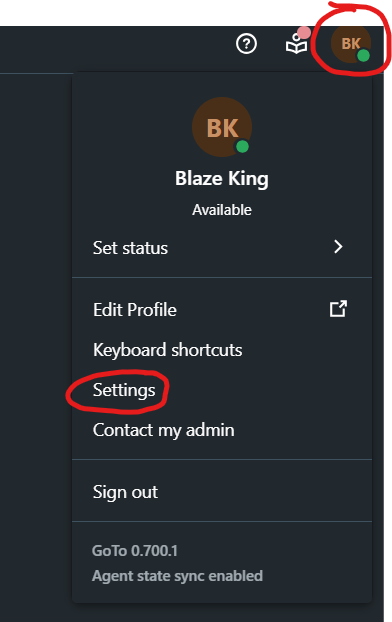
- Go to Settings (found by clicking your initials in the top right). Direct link to Settings: https://app.goto.com/shell-settings/voice/voicemail

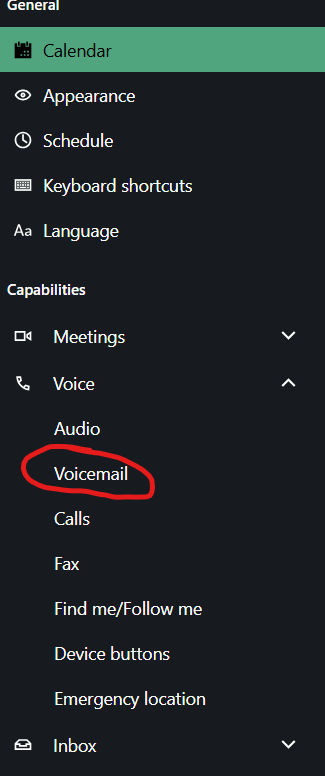
- Select Voicemail (under Voice):

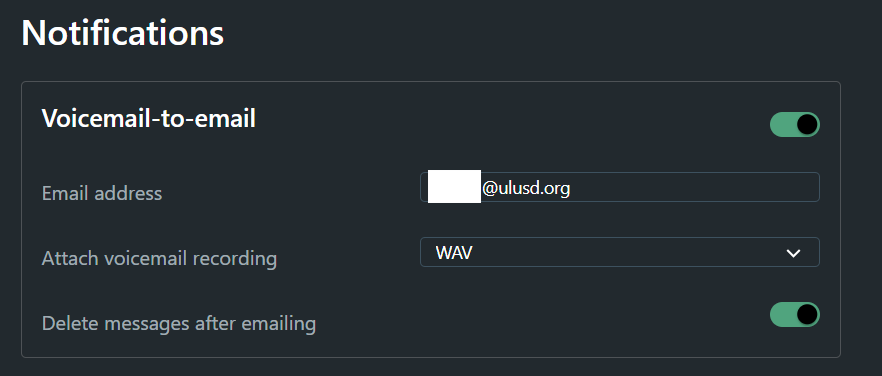
- Change your desired options. If you want to receive voicemails as emails with attachments, configure the following settings (make sure to use your own email address):