# Tech Tip Tuesday (October 14, 2025)

[![Screenshot 2025-10-06 082403.png](https://bookstack.ulusd.org/uploads/images/gallery/2025-10/BR4h6mNv5VlwzaLa-screenshot-2025-10-06-082403.png)](https://bookstack.ulusd.org/uploads/images/gallery/2025-07/kr5nIMCqrILvoiD1-image.png)

### October is *National Cyber Security Awareness Month*

<div class="b-c widget svelte-1b8zbxt" id="bkmrk-this-school-year%27s-f"><div class="relative block-wrapper"><div class="relative block-box group svelte-1yxjc2k      px-5"><div class="relative w-full rounded block-content svelte-1yxjc2k" data-block-id="bw-2536711753" data-block-type="text.paragraph"><div>  
</div></div></div></div></div><div class="b-c widget svelte-1b8zbxt" id="bkmrk-need-step-by-step-in"></div>#### <span style="color: rgb(132, 63, 161);">Passwords? That's so last year. No, let's try a passphrase.</span>

<div class="b-c widget svelte-1b8zbxt" id="bkmrk-%C2%A0-only-the-most-expe"><div class="relative block-wrapper"><div class="relative block-box group svelte-1yxjc2k      px-5"><div class="relative w-full rounded block-content svelte-1yxjc2k" data-block-id="bw-2662736004" data-block-type="text.paragraph"><div>  
</div><div><table border="1" style="border-collapse: collapse; width: 100%; border-width: 1px; border-style: hidden;"><colgroup><col style="width: 49.881%;"></col><col style="width: 50.119%;"></col></colgroup><tbody><tr><td>A strong password doesn’t have to be hard to remember — it just needs to be long and unique. Combine a few random words to create something easy to recall but nearly impossible to guess, like:

  
*--&gt; cactus-rainbow-ocean*

*--&gt; library-taco-galaxy*

Avoid personal info, and don’t reuse passwords across accounts.

***Tip: The longer the phrase, the stronger the protection.***

Check out [Google's Password Tips](https://support.google.com/accounts/answer/32040?hl=en)

</td><td>[![image.png](https://bookstack.ulusd.org/uploads/images/gallery/2025-10/scaled-1680-/05XusfyvPT6YI42T-image.png)](https://bookstack.ulusd.org/uploads/images/gallery/2025-10/05XusfyvPT6YI42T-image.png)

</td></tr></tbody></table>

</div><div>  
</div></div></div></div></div><div id="bkmrk--1">  
</div><div id="bkmrk--2"></div><div id="bkmrk--3"></div><div id="bkmrk-watch-out-for-the-cy"><table border="1" style="border-collapse: collapse; width: 100%; height: 29.6px; border: 5px solid rgb(132, 63, 161);"><colgroup><col style="width: 50%;"></col><col style="width: 50%;"></col></colgroup><tbody><tr style="height: 29.6px;"><td style="height: 29.6px; border-color: rgb(132, 63, 161); border-width: 5px;">[![image.png](https://bookstack.ulusd.org/uploads/images/gallery/2025-10/scaled-1680-/1TROr7hk8LiqXgPi-image.png)](https://bookstack.ulusd.org/uploads/images/gallery/2025-10/1TROr7hk8LiqXgPi-image.png)

</td><td style="height: 29.6px; border-color: rgb(132, 63, 161); border-width: 5px;">#### **END OF THE PASSWORD**

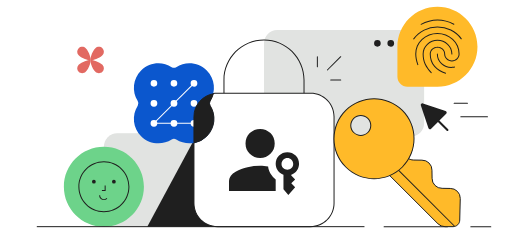
**<span style="color: rgb(132, 63, 161);">A <span style="text-decoration: underline;">passkey</span> is a secure, passwordless way to sign in to Google.</span>**

  
Instead of typing a password, you use something you **already have** — like your phone, fingerprint, or device PIN — to prove it’s really you.

  
Passkeys protect against phishing and make sign-ins faster.  
You can set one up in your Google Account settings:

<span style="color: rgb(132, 63, 161);">***[Create a Passkey for Google](https://myaccount.google.com/security/passkeys)***</span>

[![image.png](https://bookstack.ulusd.org/uploads/images/gallery/2025-10/scaled-1680-/zAdCksIwoQUSpy1A-image.png)](https://bookstack.ulusd.org/uploads/images/gallery/2025-10/zAdCksIwoQUSpy1A-image.png)

</td></tr></tbody></table>

</div><div class="b-c widget svelte-1b8zbxt" id="bkmrk-1%29%C2%A0logging-in-using-"><table border="1" id="bkmrk-blaze-king-director-" style="border-collapse: collapse; width: 100%; border-width: 1px; border-style: hidden;"><colgroup><col style="width: 31.1191%;"></col><col style="width: 68.9762%;"></col></colgroup><tbody><tr><td>[![thumb-a49d786c3702b02af052f7f4feecf8e2.png](https://bookstack.ulusd.org/uploads/images/gallery/2025-08/scaled-1680-/q3rlFiVF4CWy9Slj-thumb-a49d786c3702b02af052f7f4feecf8e2.png)](https://bookstack.ulusd.org/uploads/images/gallery/2025-08/q3rlFiVF4CWy9Slj-thumb-a49d786c3702b02af052f7f4feecf8e2.png)</td><td>### Blaze King

<div class="text-15" data-field-key="content"><div align="left" class="svelte-kqih7g rich" dir="ltr">Director of Information Technology</div></div>**Email:** <bking@ulusd.org>  
**Website:** [ulusd.org](https://ulusd.org/)  
**Location:** [750 Old Lucerne Road, Upper Lake, CA, USA](https://maps.google.com/?q=675+Clover+Valley+Rd,+Upper+Lake,+CA+95485,+USA&ftid=0x8083dd2a6b9780af:0x8665fe0e7504e88b)  
**Phone:** [707-275-9139](tel:707-275-9139)

</td></tr></tbody></table>

</div>