Access Aeries using your Google account
1. Log into ULUSD Aeries at the following URL:
- Teachers -- https://upperlake.asp.aeries.net/teacher/Login.aspx
- Staff/Admin -- https://upperlake.asp.aeries.net/admin/Login.aspx
- Parents/Students -- https://upperlake.asp.aeries.net/student/LoginParent.aspx
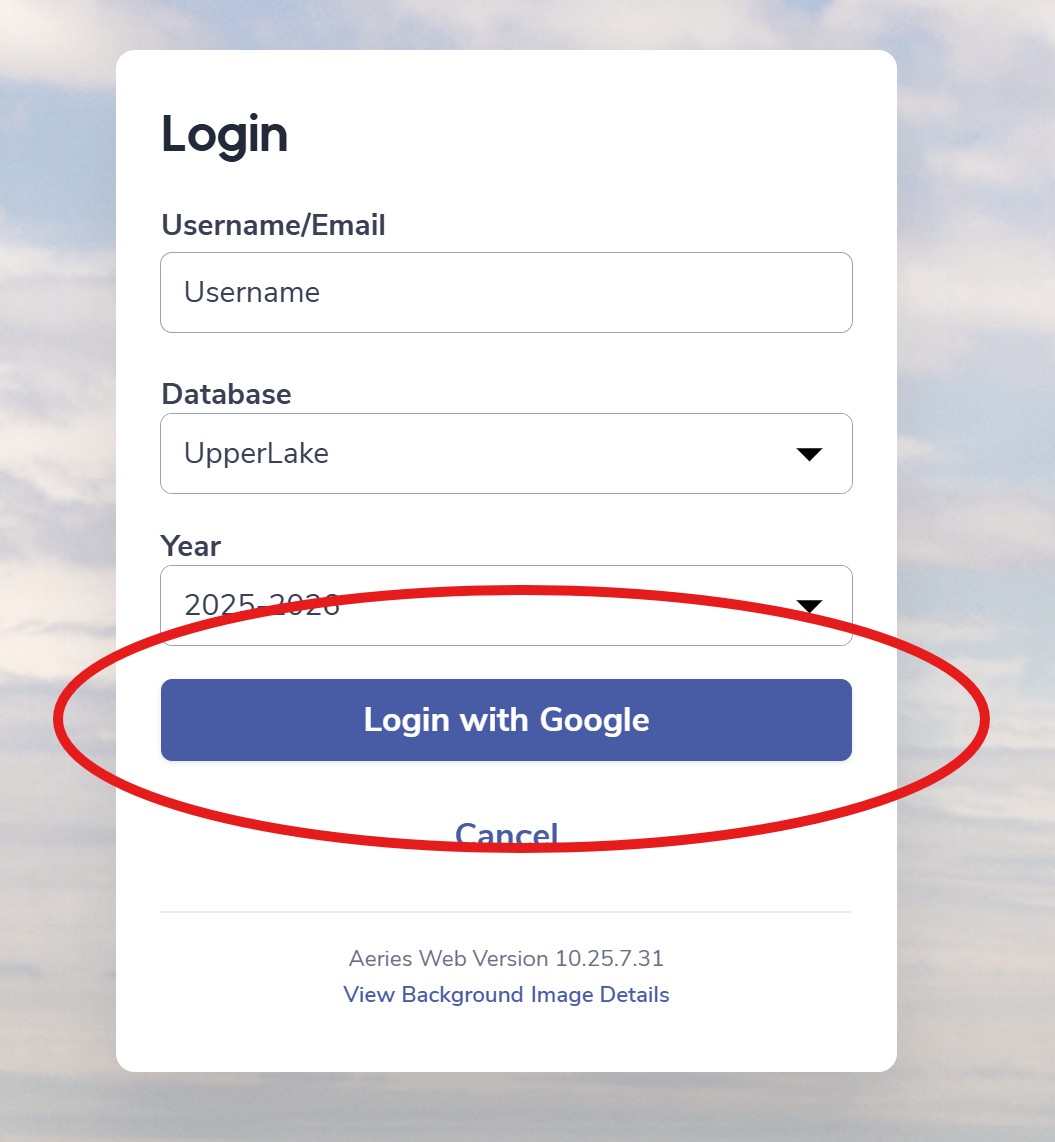
2. Before typing in your password, be sure to click the Sign in with Google option:

3. After entering your email address and clicking Sign In, you may be taken to a Google screen to sign in to your account. Follow the on-screen instructions and enter your password.
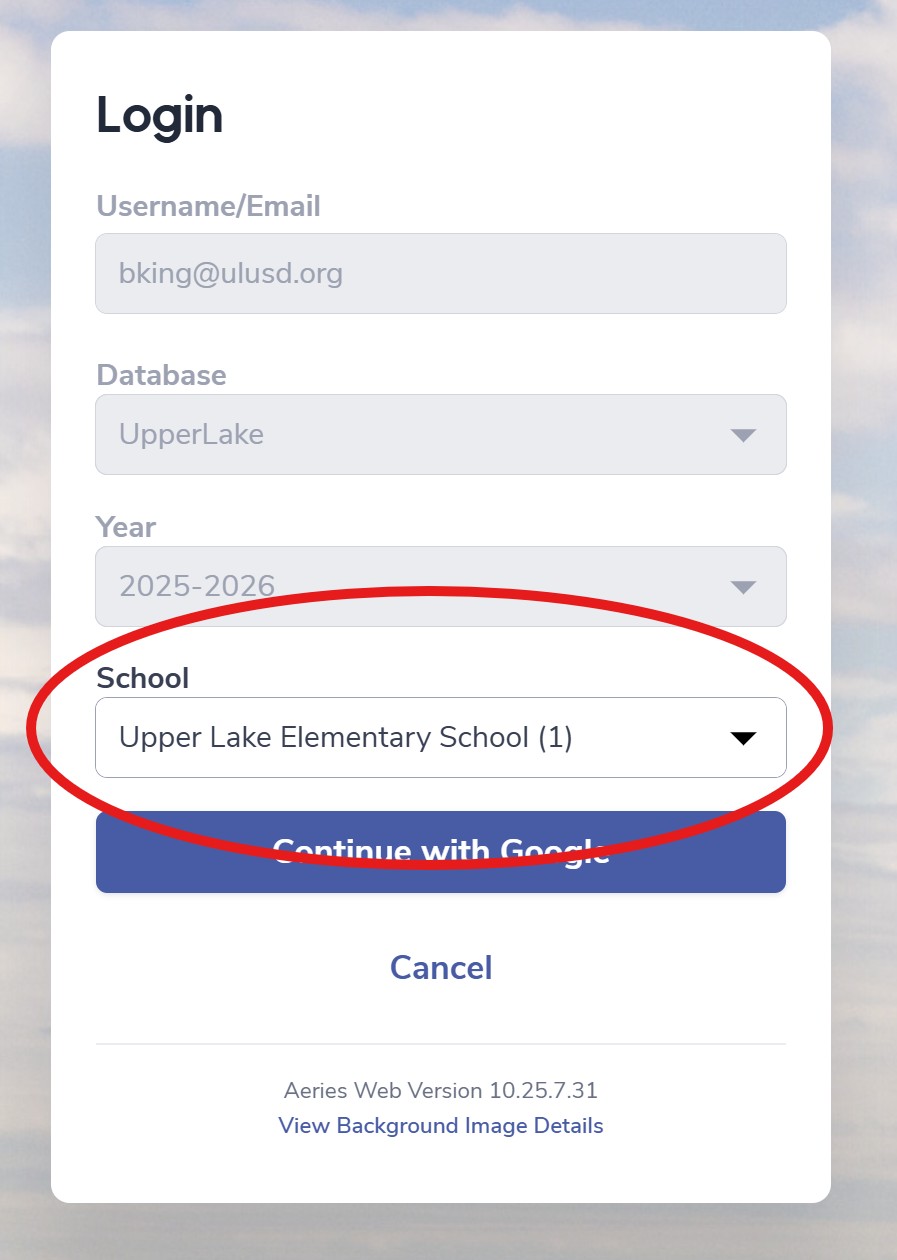
4. On the next Aeries screen, choose your school (if relevant), and click Continue: