Skip to main content
ULUSD Knowledge Base
View All
Search
Shelves
Books
Log in
Info
Content
Books
GoTo
Set up voicemail options
Set up voicemail options
Log in to the Goto website (app.goto.com). You may need to create an account if this is your first time visiting. Login with Google allowed.
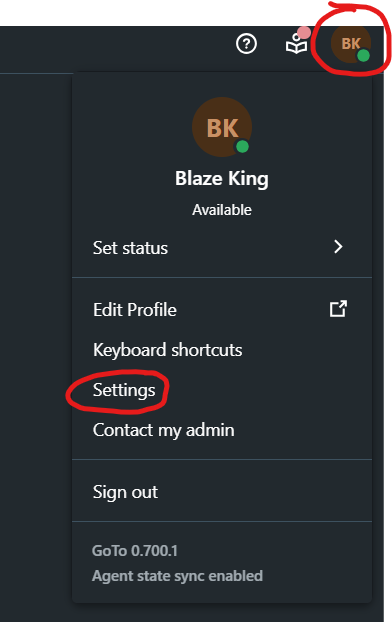
Go to Settings (found by clicking your initials in the top right). Direct link to Settings:
https://app.goto.com/shell-settings/voice/voicemail
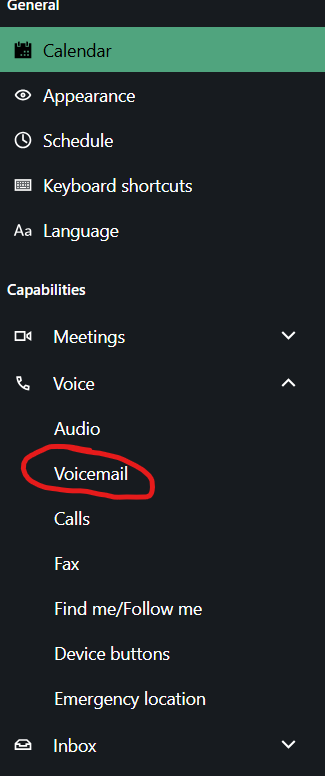
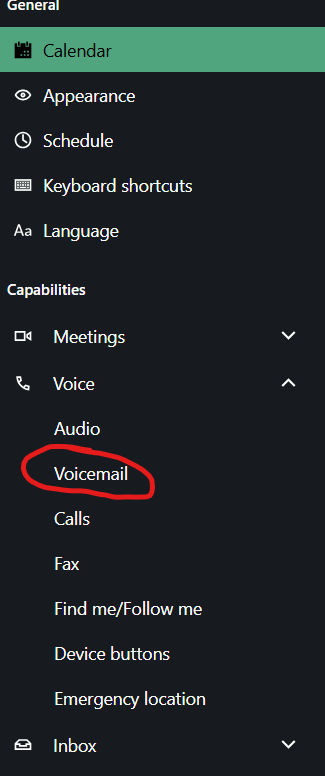
Select Voicemail (under Voice):
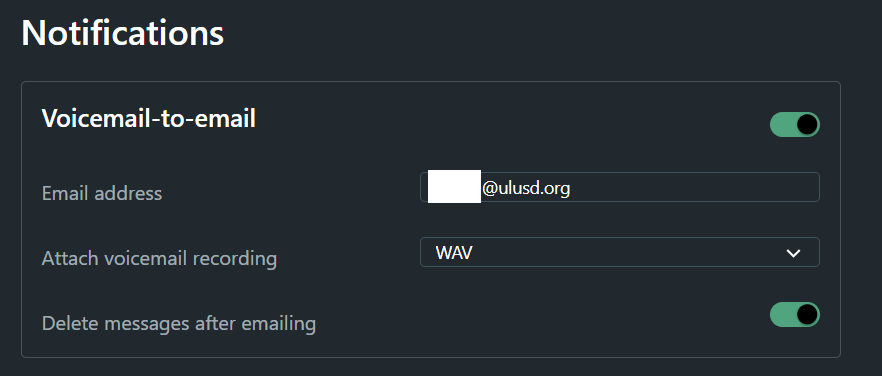
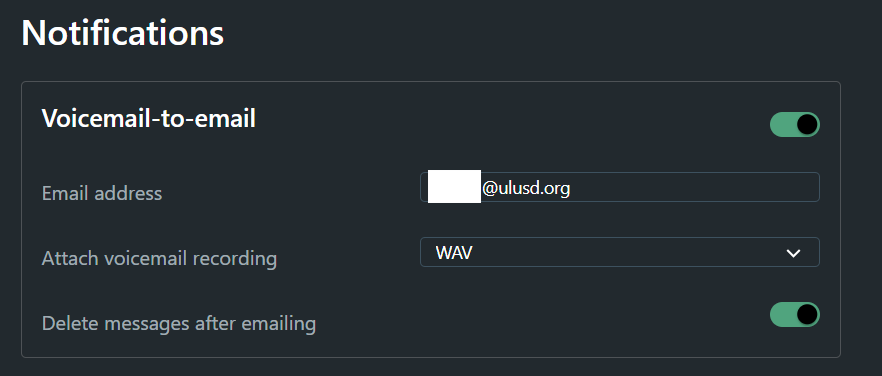
Change your desired options. If you want to receive voicemails as emails with attachments, configure the following settings (make sure to use your own email address):
Enter section select mode
Previous
ULUSD phone system (GoTo)
Back to top